The platform
your band runs on.
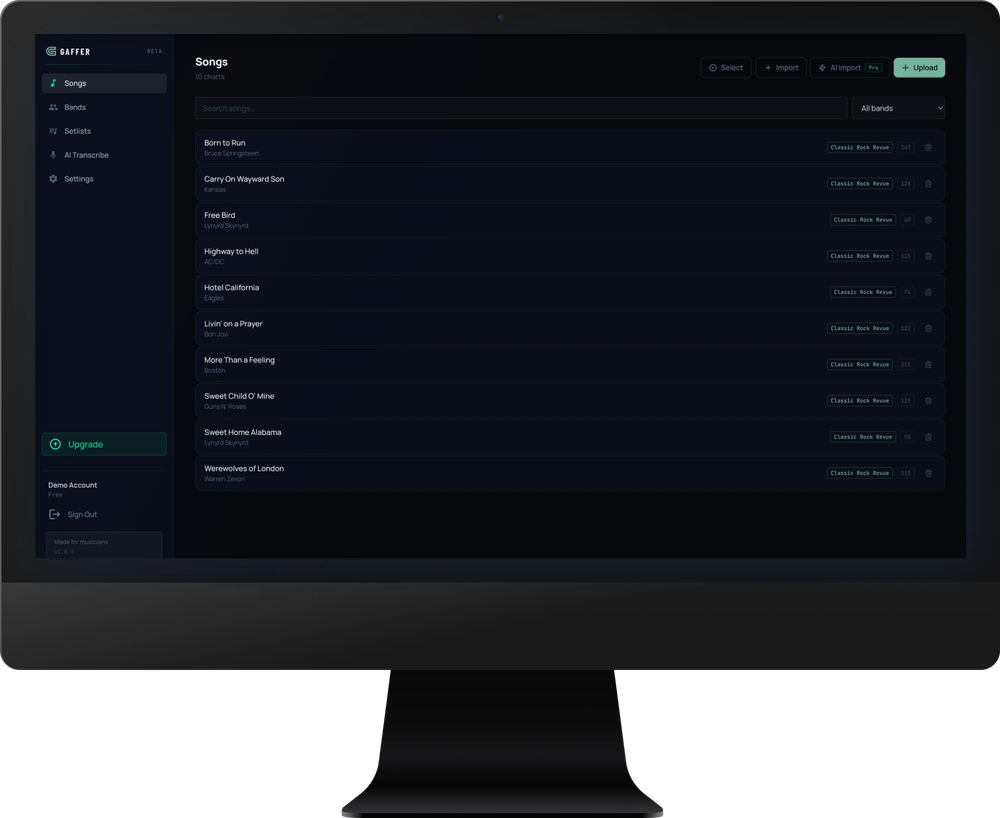
Gaffer keeps your charts organized, your band in sync, and your performance sharp. Built for musicians who actually play shows.
Want iOS and Android? Join the waitlist for mobile:
Built for the stage, loved in the studio
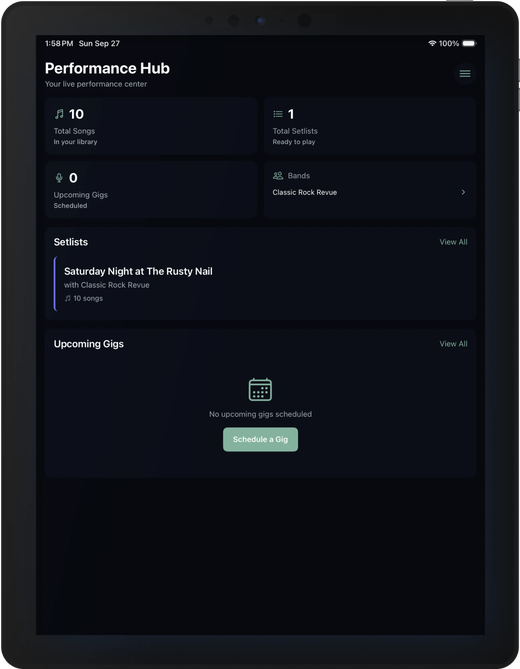
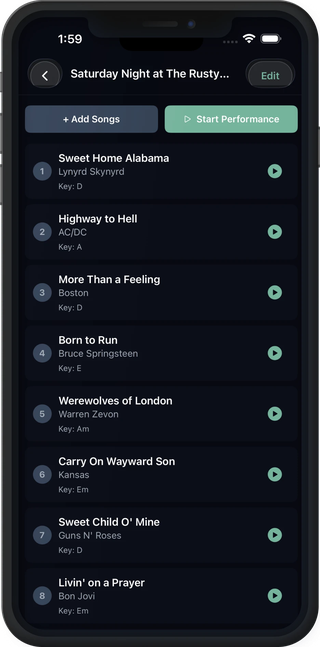
Full-screen chord charts on iPad. Your song library on iPhone. Always in sync.
Your entire chart library, one tap away
Full-screen performance mode puts your chart center stage — pure black background, large legible text, nothing in the way. Adjustable auto-scroll keeps up with you. Tap once to reveal controls, tap anywhere else to hide them.
- →Bluetooth footswitch support for hands-free page turns
- →Font scaling from 0.5× to 3× — readable from across the room
- →Transpose on the fly without editing the chart
- →Screen stays awake for the entire performance
Everyone on the same page — literally
Share your chart library with bandmates and see edits sync in real time across every device. Build setlists together and rehearse from the same charts — everyone always on the latest version.
- →Real-time sync — changes appear instantly on all devices
- →Drag-and-drop setlist builder with song key and duration at a glance
- →Multiple band workspaces — one account, all your projects
- →Invite members with role-based access
Built for the way bands work
Built by musicians, for musicians. Every feature is designed around how you actually perform.
ChordPro Format
Import, edit, and display industry-standard ChordPro charts. Inline chords, section headers, and metadata — all rendered beautifully.
AI Chart Tools
Convert plain text charts to ChordPro in seconds. Fix formatting, standardize chords, and get a structural analysis — all powered by Claude.
Performance Mode
Full-screen mode built for the stage. Pure black background, large text, auto-scroll, and tap-to-reveal controls. Zero distractions.
Setlist Builder
Build and reorder setlists with drag-and-drop. See every song's key and duration at a glance. Share the list with your band before the gig.
Band Collaboration
Share your library with bandmates. Edits sync in real time across everyone's devices — no more emailing PDFs before rehearsal.
Bluetooth Page Turner
Connect any Bluetooth footswitch and turn pages hands-free. Works in performance mode without touching the screen — exactly as it should.
From rehearsal to performance
How Gaffer runs your band.
Import your charts
Upload PDFs, paste ChordPro, or convert plain text chord sheets. Gaffer handles every format and stores everything in one place.
Supports PDF, ChordPro, plain text chord sheets, and AI-assisted conversion.
Organize and rehearse
Build setlists, share charts with your band, and rehearse from the same source — everyone always on the latest version.
Real-time sync means everyone sees changes instantly — no more "which version is current?"
Step on stage with confidence
Switch to performance mode for a distraction-free, full-screen view. Turn pages with a Bluetooth pedal, auto-scroll at your tempo.
Screen stays awake. Controls auto-hide. The chart is all that matters.
Simple, honest pricing
Start free. The AI features cost us real money to run — so we cap them honestly. No games, no hidden limits.
Free
Get the core experience — no card required.
Pro
For the serious solo performer or small band.
Band
For working bands and music directors.
AI import limits reset on the 1st of each month. Cancel any time — no runaround.
The web app is live. iOS coming soon.
Built for iPad and iPhone first — optimized for the stage. Join the waitlist to be first when mobile launches.
iOS coming soon · Android in development · Start on web now